Lightify
Webcam-powered smart lighting. Your room gets darker, your bulbs get brighter.
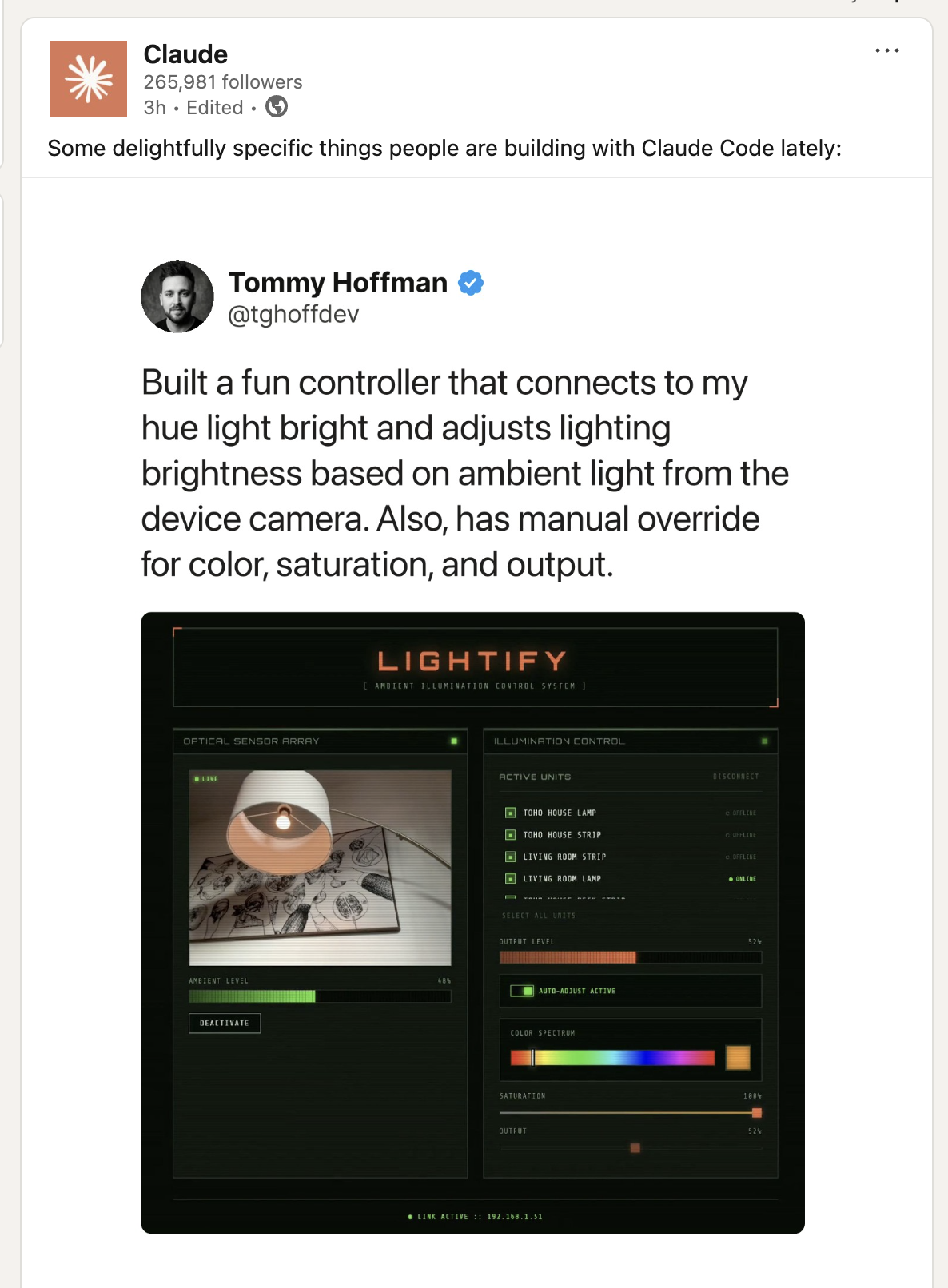
My eyes are sensitive to light temperature. Harsh overhead lighting at night, cool white bulbs when the sun is setting, wrong color output when I'm trying to focus. It all adds up. I wanted my Hue bulbs to adapt automatically based on ambient conditions, so I built Lightify. The app uses your webcam to detect room brightness and adjusts your lights inversely. Dark room, bright bulbs. Bright room, dim bulbs. Manual overrides for color, saturation, and output when you want direct control. All processing happens locally. Your video never leaves the browser. Built with Claude Code. Featured by Anthropic on LinkedIn.
Three layers. The browser runs the React SPA with two custom hooks: `useBrightness` handles webcam frame analysis, `useHueBridge` manages bridge discovery and state. App.tsx orchestrates both.
The brightness detection runs at 2 FPS with smoothing to prevent flickering. Grab a frame, calculate luminance from the pixel data, invert the value, send it to the bulbs. Simple pipeline, responsive result.
- 01Local mode hits the Hue bridge directly over HTTP. Same network, zero latency, no external dependencies. Just press the button on your bridge to pair.
- 02Relay mode proxies requests through a self-hosted Node/Express server. Token-based auth in the request header. Control your lights from anywhere with internet access.
The relay is a lightweight Express app. It validates the token header, proxies requests to your local bridge IP, and handles CORS for the frontend. Three endpoints: health check, bridge proxy, and a simple auth validation.
For exposure, you have options: port forwarding, Cloudflare Tunnel (free, no ports opened), ngrok for testing, or a VPN like Tailscale. Production should sit behind a reverse proxy with HTTPS.
Your webcam feed never leaves your browser. The MediaStream API gives us raw pixel access, we calculate luminance locally, and only the brightness value (a single integer) gets used. No frames stored, no uploads, no cloud processing. The camera permission dialog is the only trust boundary.
Terminal-inspired retrofuturistic aesthetic. Real-time feedback showing the live camera feed, current luminance reading, and bulb state for each selected light. The design leans into the "control room" vibe. Functional first, style second.